Penske Truck Wizard Overview
What is Penske Truck Wizard? Penske Truck Wizard is a free online tool that walks you through a room-by-room home inventory to estimate how much truck space you need for a DIY move. When we tested it, the tool recommended a 22-foot truck for a standard household inventory and generated a $3,999 quote for a move from Maryland to Arizona. This guide explains how Truck Wizard works, when to use it, and what its limitations are.



 rating

 4 / 5
4 / 5
Jump to the Penske Truck Wizard info you’re looking for:
Find the right truck size
Answer a few quick questions and get an instant recommendation for your move.
Best for
—
Capacity
—
Our track record





Each year, 400,000+ people trust our moving recommendations. Here are a few reasons why:
- Founded in 2015
- 4,500+ moving companies analyzed
- $50,000 in moving grants delivered
- Up-to-date pricing info & industry data
- Fact-checked for accuracy
Before using Truck Wizard, check out these related resources:
- Best interstate movers: Not everyone wants to drive cross-country in a rental truck. If you’re weighing full-service options, this list covers top-rated long-distance movers with verified customer reviews and moveBuddha pricing data.
- Moving cost calculator: Enter your move dates, origin, destination, and home size to get instant price comparisons from movers in your area.
- Moving containers: Moving containers cost about 30% less than full-service movers on average. You load and unload; a driver handles the rest.
- Penske truck rental review: Read moveBuddha’s full review of Penske Truck Rental before you book, covering rates, truck sizes, and nationwide availability.
How do you use Penske Truck Wizard?
Penske Truck Wizard is a mobile-friendly inventory tool that walks you through your home room by room. Click the items you plan to move, and Truck Wizard estimates the cubic footage and recommends a truck size. Here’s how the process works from start to finish.
Step 1: Start with your smartphone
Truck Wizard works on any device, but a smartphone is the right choice because you’ll need to walk from room to room as you inventory your items. A laptop works in a pinch, but the portability of a phone makes the whole process much easier.
Step 2: Pick a room to start
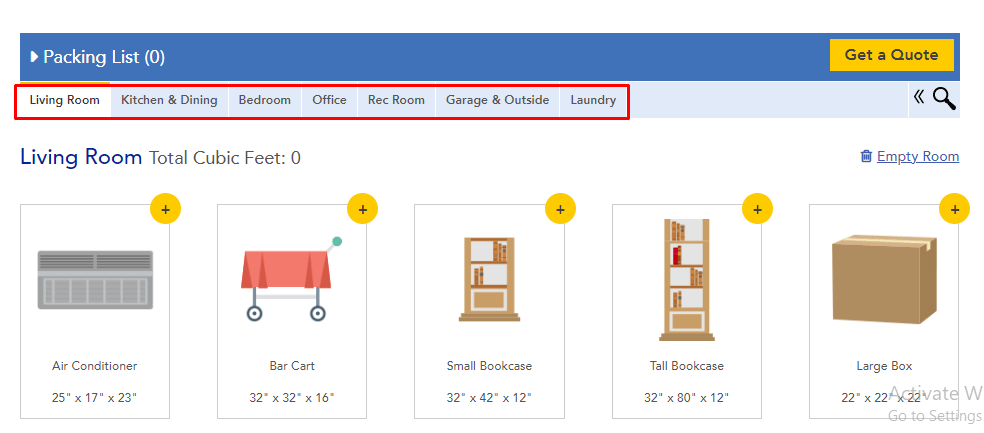
Truck Wizard covers seven room types, which you select from the main inventory page:
- Living room: Sofas, chairs, entertainment units, tables, and other main living area furniture.
- Kitchen and dining: Appliances, dining tables, chairs, and kitchen storage items.
- Bedroom: Beds, dressers, nightstands, and similar furniture. All bedrooms share one inventory screen.
- Office: Desks, chairs, filing cabinets, and office equipment.
- Rec room: Game tables, exercise equipment, and entertainment gear.
- Garage and outside: Tools, outdoor furniture, lawn equipment, and storage items.
- Laundry: Washer, dryer, and utility room items.
A few limitations to know before you start:
- No customization: The inventory form can’t be modified, and you can’t add items that aren’t already listed.
- Limited room types: Spaces like patios, attics, and basements aren’t included. You’ll need to account for those separately.
- Single bedroom screen: If you have multiple bedrooms, all bedroom furniture gets lumped onto one inventory screen.
- No save function: There’s no way to pause and come back. Set aside enough uninterrupted time to complete the full inventory in one session before you start.
Step 3: Work your way around each room
Start inventorying in one corner and work your way around until you’re back where you started. This reduces the chance of skipping items or counting something twice.
To add an item, click the image or the yellow circle with the plus sign. Once added, the circle turns blue and shows a “1.” Click plus or minus to adjust quantities, or the trash can icon to remove an item entirely.
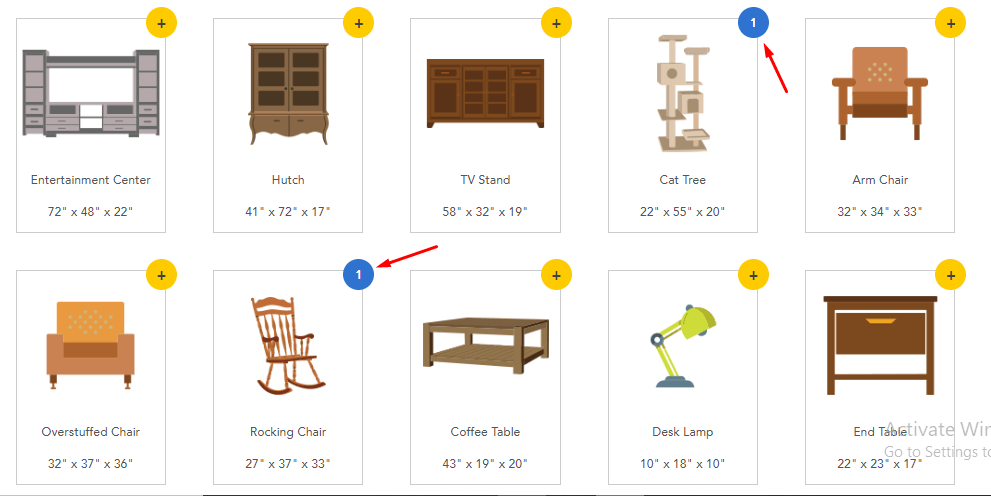
If you haven’t started packing yet, estimate how many boxes you’ll have in each room and enter that number. When you finish a room, retrace your steps to double-check before moving on.
Made too many mistakes? The “empty room” icon in the upper right clears the inventory for that room so you can start over.
Step 4: Track the running tally at the top of the page

As you add items, Truck Wizard tracks a running item count and estimates cubic footage for each room separately. In testing, a complete household inventory totaled 47 items.
Truck Wizard doesn’t provide a combined total volume or estimated weight when you’re done. To calculate weight yourself, add the room volume figures together and multiply by seven pounds per cubic foot. If your home has heavy furniture like solid oak pieces or large appliances, use eight or nine pounds per cubic foot instead. A lighter household with mostly wicker furniture and minimal books can use six.
Using moveBuddha’s moving cost calculator alongside your Truck Wizard volume figures gives you a clearer picture of what the full move will cost before you commit to a truck size.
Step 5: Get a quote if you want one
Once you’ve finished the inventory and settled on a truck size, Truck Wizard gives you the option to request a Penske rental quote. Enter your origin and destination cities or zip codes, move date, and the truck size you want.
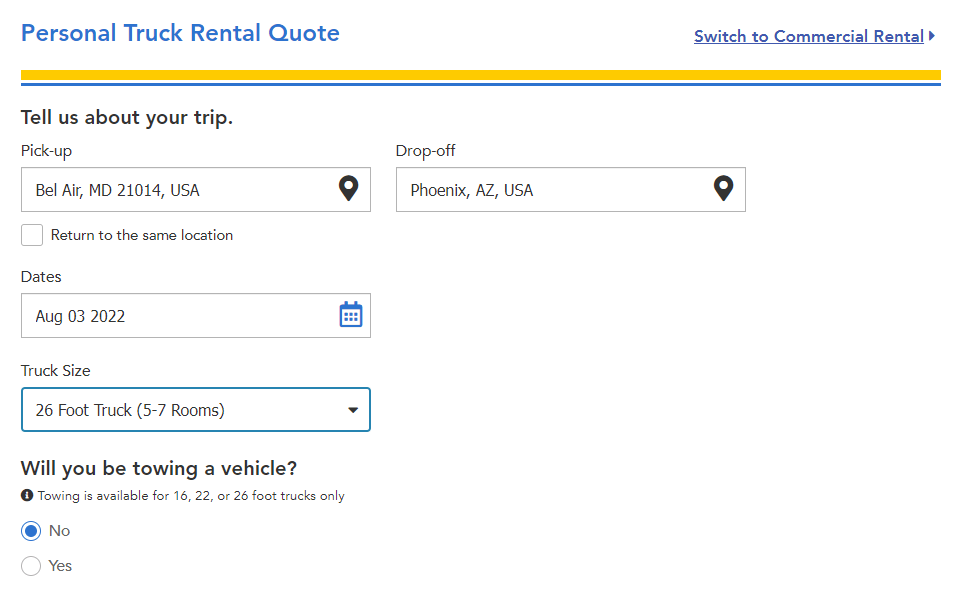
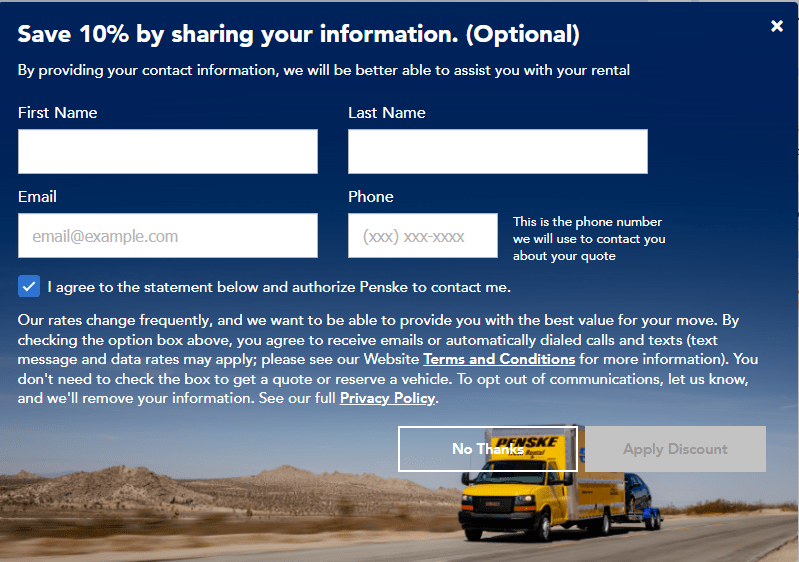
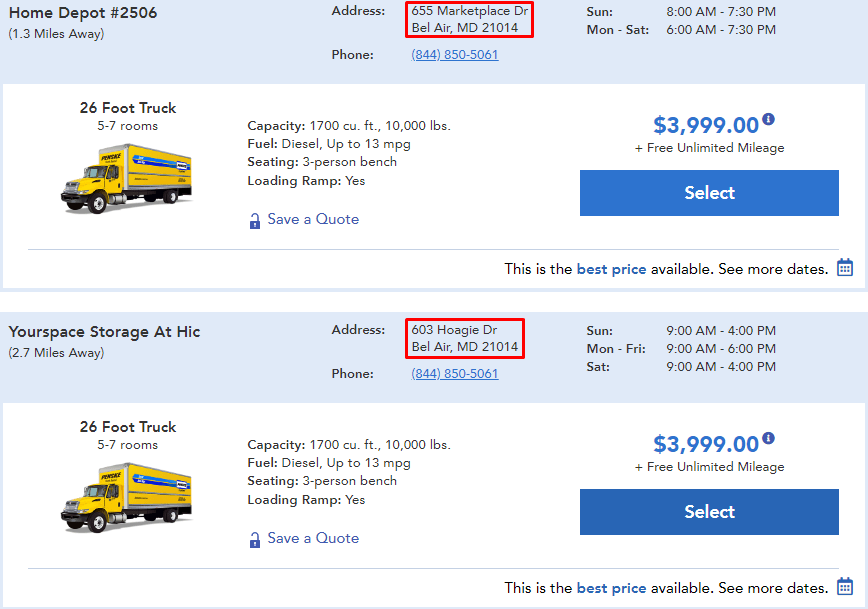
For a mock move from Bel Air, Maryland to Phoenix, Arizona in early August, a 26-foot Penske truck came to $3,999. Sharing personal information unlocked an additional 10% discount, which would have saved nearly $400 on that move.
Each quote shows multiple pickup locations. AAA members get additional discounts, and you can enter a promotional code at checkout for further savings.
- Limits environmental impact as part of the EPA's SmartWay Program
- Non-slip flooring makes loading and unloading easier
- Easily choose truck size with their Truck Wizard Tool
Pro tip: It’s usually worth renting one truck size larger than Truck Wizard recommends. The cost difference is small, and a bigger truck is cheaper than a second trip or a rental extension fee. See our guide to the best moving truck rentals to compare Penske rates with other companies before you book.
When should you use Penske Truck Wizard?
Truck Wizard is most useful during the early planning stages of a move, and it’s worth using even if Penske isn’t your first choice for a rental truck.
- Getting phone quotes from movers: Full-service movers price long-distance moves by weight. A Truck Wizard inventory gives you a rough weight estimate to use when calling movers for quotes. In-home surveys are more accurate, but a Truck Wizard estimate gets you in the right ballpark for early comparisons.
- Checking mover estimates for accuracy: Once you have a Truck Wizard inventory, compare it against the weight estimate your mover provides. The two figures should be within about 20% of each other. A larger gap is worth investigating before you sign anything.
- Sizing containers and storage units: Truck Wizard’s cubic footage estimates are just as useful when you’re booking a moving container or a self-storage unit. Use the room volume totals to confirm you’re reserving the right amount of space.

Your Truck Wizard estimates and a mover’s weight assessment should land within about 20% of each other. A gap larger than that could signal an incomplete inventory or warrant a closer look at your quote.
- Competitive base prices with specialized discounts
- Round-trip and one-way moves available
- User-friendly website makes it easy to book the right truck
Pros and cons of Penske Truck Wizard
- Free to use with no account required
- Works for any move type, not just Penske rentals
- Mobile-friendly with an easy reset function
- Estimates cubic footage by room
- Connects directly to Penske truck rental quotes
- Inventory form can’t be customized
- No patio, attic, or basement room options
- All bedrooms share one inventory screen
- Doesn’t calculate total volume or weight automatically
- No save function — must complete inventory in one session
Is Penske Truck Wizard worth using?
Penske Truck Wizard is a free, practical planning tool worth using before any DIY move, whether you rent from Penske or not. The room-by-room inventory gives you reliable cubic footage estimates for sizing truck rentals, moving containers, and storage units, and those figures should land within 20% of a professional mover’s weight assessment.
The main limitations are easy to work around: calculate total weight manually using the per-room volume figures, account separately for attic or patio items, and set aside enough time to finish the inventory in one sitting.
If you’re comparing truck rental options before you book, our guide to the best moving truck rental companies covers Penske, Budget Truck Rental, and more with verified pricing data.

 rating
 4.3 / 5
Why moveBuddha?
- On average, moveBuddha users save more than 30% by comparing movers before booking.
- When you choose a moveBuddha Certified mover, you get $1,000 in added move coverage, plus dedicated support throughout your move.
- If something goes wrong, moveBuddha provides dispute mediation with Certified movers to help resolve the issue and protect your move.
Frequently asked questions about Penske Truck Wizard
Is Penske Truck Wizard free to use?
Yes, Penske Truck Wizard is completely free. You don’t need to create an account or share personal information to get a truck size recommendation. Contact details are only required if you want to receive an additional 10% discount on a Penske rental quote.
Can I use Penske Truck Wizard if I’m not renting from Penske?
Yes. Truck Wizard’s inventory and volume estimates are useful regardless of which rental company you choose. The cubic footage totals work just as well for sizing a moving container, estimating self-storage space, or getting phone quotes from full-service movers.
Does Penske Truck Wizard calculate total weight?
Not automatically. Truck Wizard estimates volume for each room separately but doesn’t combine them into a total or convert to weight. To estimate weight yourself, add the room volume figures together and multiply by seven pounds per cubic foot. Use eight or nine pounds per cubic foot if your home has a lot of heavy furniture like solid oak pieces or large appliances.
How accurate are Penske Truck Wizard’s estimates?
Penske Truck Wizard’s estimates are accurate enough for general planning. Your inventory figures should fall within about 20% of what a full-service mover calculates during an in-home survey. A gap larger than 20% usually means the inventory was incomplete or the mover’s estimate needs a closer look.

Not what you were looking for?
Check out other categories that can help you find the information you need!